Built for Microsoft Teams

Plan projects with
Gantt charts inside Teams

Create, manage, and visualize project timelines without leaving Microsoft Teams.

๐Ÿ“Š
Gantt Charts
Visual timeline for every project and task
๐Ÿ‘ฅ
Team Collaboration
Assign subtasks and track progress together
โœ“ Free to start โœ“ No credit card โœ“ Works in Teams & Browser
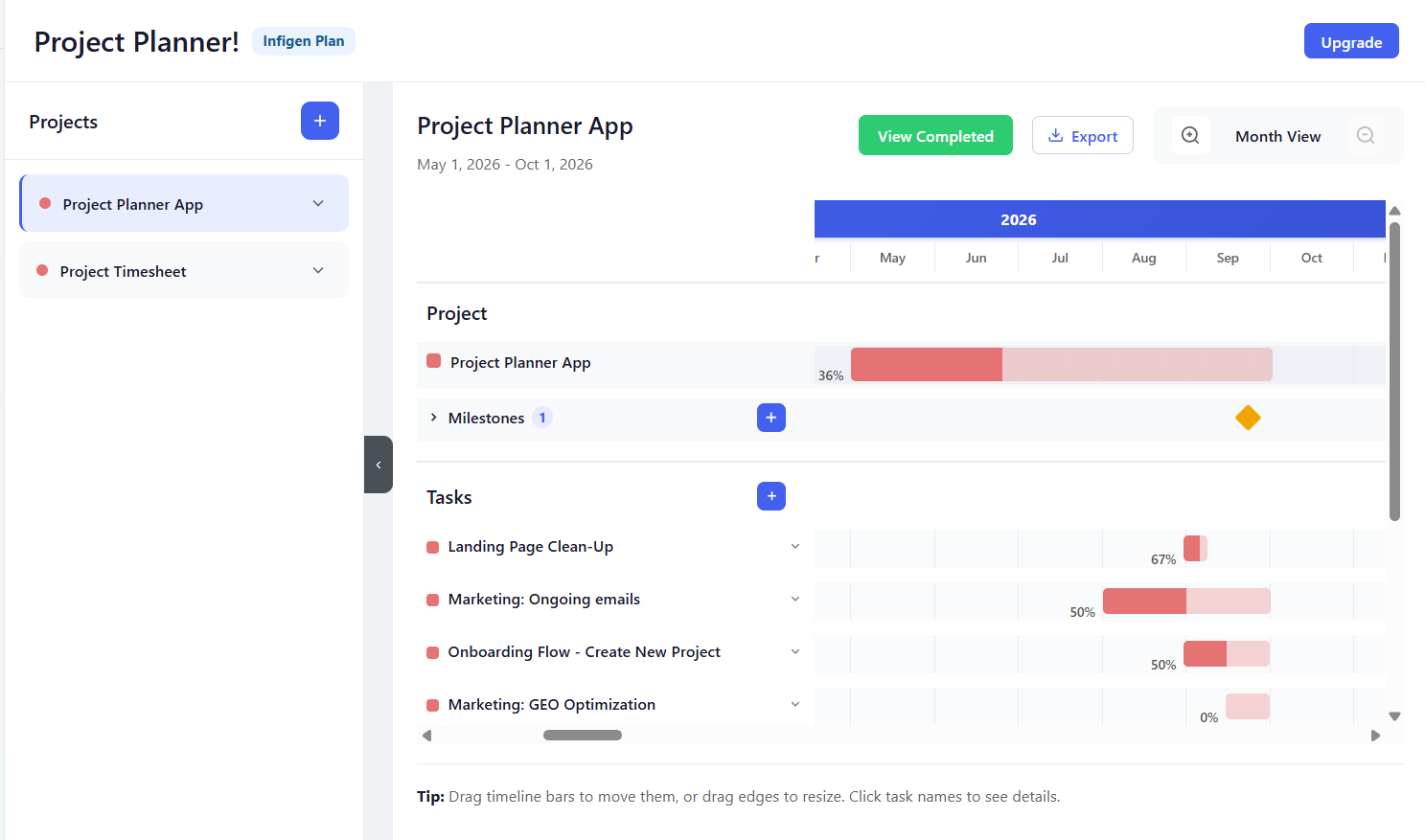
Project Planner! - Project Planner App Gantt chart view with tasks, milestones, and progress bars
SCROLL
Features

Everything you need to
manage projects

Simple, powerful tools that work right inside Microsoft Teams.

๐Ÿ“Š

Interactive Gantt Charts

Visualize project timelines with drag-and-drop Gantt charts. See tasks, dependencies, and progress at a glance.

โœ…

Tasks, Subtasks & Milestones

Break down work into manageable tasks and subtasks. Set key milestones to mark important deadlines, deliverables, and project checkpoints โ€” all in one timeline.

๐Ÿ‘ฅ

Team Assignment

Assign subtasks to team members. Everyone knows what they need to do and when.

๐Ÿ”„

Real-time Sync

Syncs automatically across Teams and browser. Your team always sees the latest updates.

๐ŸŒ

Works Everywhere

Use inside Microsoft Teams (desktop, web) or directly in your browser โ€” same experience everywhere.

Pricing

Simple, transparent pricing

Start free for a month & upgrade when you're ready.

Free
Start with a free one-month trial
$0 /one month
Full access for 30 days
Get Started
Monthly
Flexible month-to-month billing
$6 /seat/month
Per-seat plan
Subscribe
FAQ

Frequently asked
questions

Still have questions?

We're happy to help.

Contact us →
Your project data is stored in a secure database maintained by Infigen, protected by Microsoft sign-in. See our Privacy Policy for details.
Yes! You can use Project Planner! both inside Microsoft Teams and directly in your web browser with the same experience.
The app requires User.Read (to sign you in) and TeamsActivity.Send (to send task-assignment notifications). No admin consent is required for typical use.
Yes! Start free for one month with full access to all features. After the trial, choose from a Monthly plan at $6/seat/month or our best-value Yearly plan at $5/seat/month. Subscribe easily through the Microsoft Marketplace.
Contact

Get in touch

Have questions or need help? Reach out and we'll get back to you.